
Free Mac plugin · VST3 + AU
PsiLoops Bridge
Play PsiLoops on your iPhone and hear it on a track in your DAW, in time with your project. Every part on its own track, the notes as MIDI, and nothing to set up but a cable.
Free download
v1.0.0
- ✓VST3 and Audio Unit, in one installer
- ✓Apple silicon and Intel Macs, macOS 11 Big Sur or later
- ✓No account, no licence key, no audio interface
- ★Plays PsiLoops Pro from your iPhone (subscribe in the app)
Released 17 October 2026. Tested in Ableton Live.
How it fits together
Your Phone Is the Instrument
PsiLoops stays on the phone, so you play it like always. The plugin brings its sound into your DAW, one track per part.
The iPhone sends PsiLoops over a USB cable or Wi-Fi to the plugin, which plays it on separate DAW tracks for drums, loops A, loops B, one shots and effects.
What it does
More Than a Cable
Follows your DAW
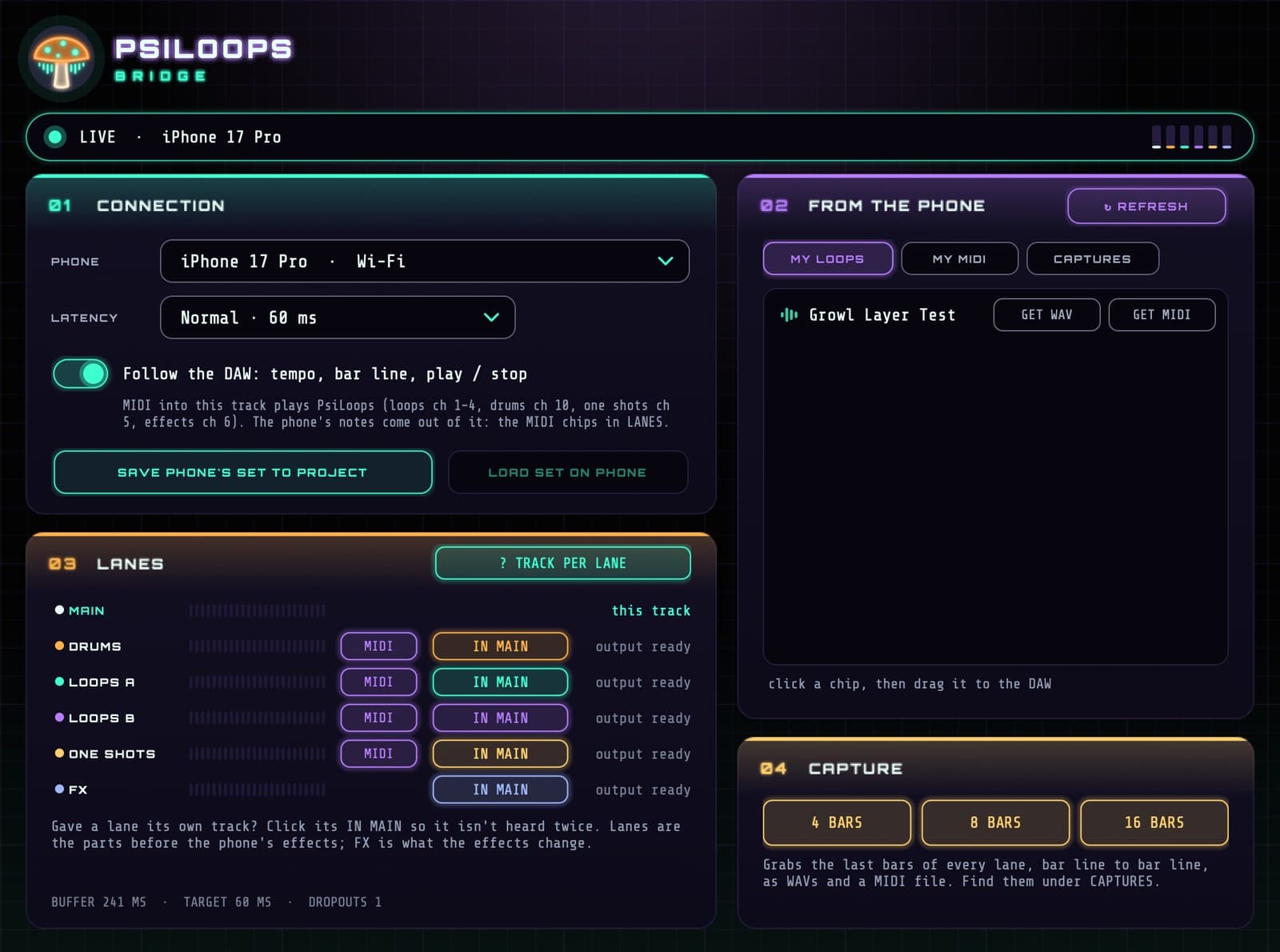
PsiLoops takes your project's tempo, starts on its next bar and stops with it. No Link or MIDI clock to set up.
A track per lane
Drums, Loops A, Loops B, One Shots and FX each have their own output, so you can record, mix and add effects to each one.
The notes as MIDI
Loops you made in PsiLoops send their notes, on the beat, so a synth in your DAW can double them or replace them.
Capture
Grab the last 4, 8 or 16 bars of every lane, cut on the bar line, as 24-bit WAVs and a MIDI file. Even right after you stop.
Your loops, dragged in
My Loops and My MIDI from the phone show up in the plugin. Drag one straight onto a track, or drop a .mid file on the list to send it to the phone.
Saved with the project
Save the phone's set in your DAW project, and load it back onto the phone when you open the project again.
Set up
Playing in Four Steps
Install the plugin
Open the download and follow the installer. Pick VST3, Audio Unit or both.
Turn on the Bridge
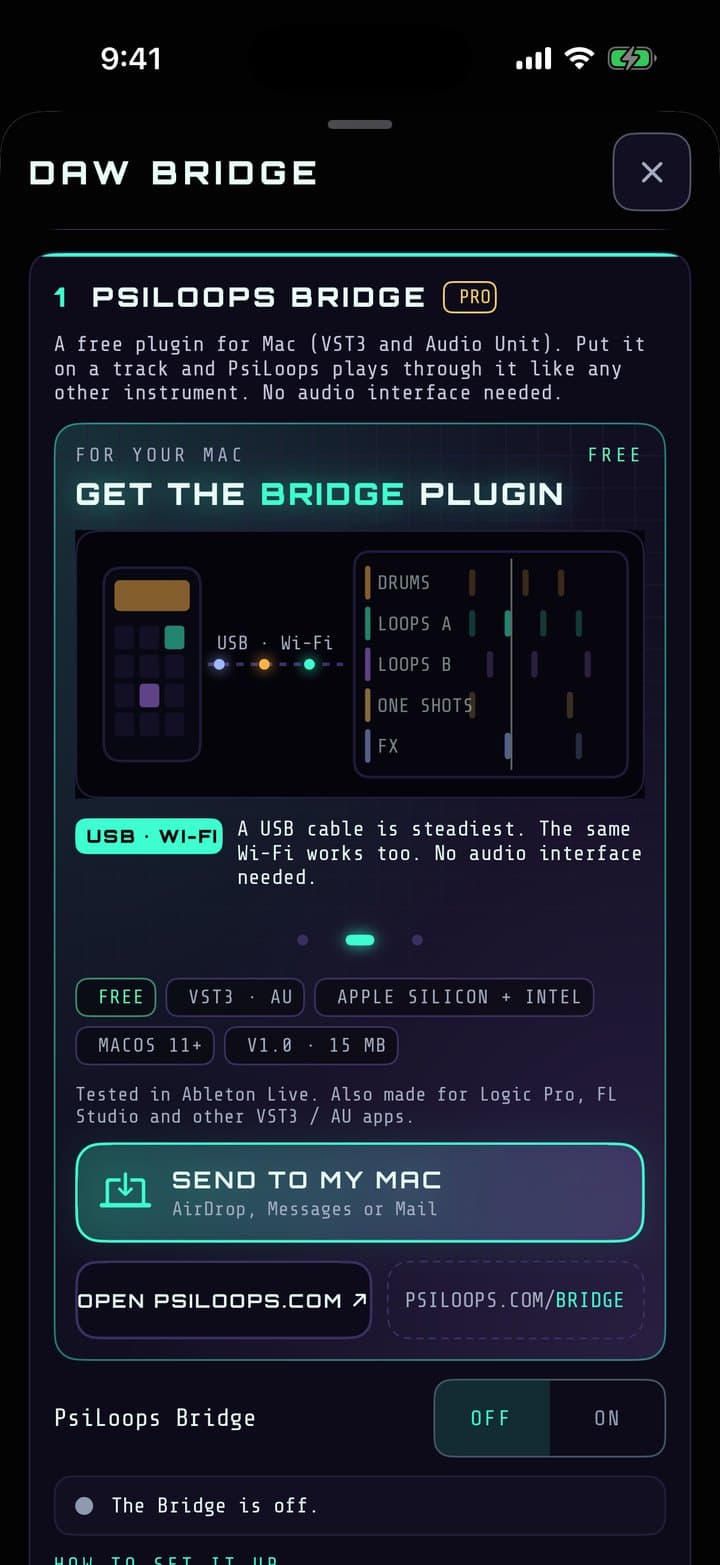
In PsiLoops: ≡ Menu → DAW Bridge → PsiLoops Bridge → On. Keep the app open.
Add it to a track
Put PsiLoops Bridge on a MIDI track in your DAW, like any other instrument.
Pick your phone
It shows up in the plugin's Phone menu, over the USB cable or Wi-Fi. Press play.
In your DAW
Load It, Then Give Each Lane a Track
The plugin has the same steps on its Track Per Lane page.
LOAD IT
- Preferences (Settings in Live 12) → Plug-Ins: turn on Use VST3 Plug-In System Folders (and Audio Units), then Rescan.
- Drag PsiLoops Bridge (Plug-Ins → PsiLoops) onto a MIDI track. That track plays the whole mix.
A TRACK PER LANE
- Add an audio track for a lane: Create → Insert Audio Track (⌘T).
- In its Audio From, choose the PsiLoops Bridge track, then the lane under it: Drums, Loops A, Loops B, One Shots or FX.
- Set the track's Monitor to In, and name it after the lane.
- In the plugin, click that lane's IN MAIN so it isn't heard twice.
- Tip: File → Save Live Set As Template, and every new set starts with the lanes ready.
THE NOTES AS MIDI
Add a MIDI track with an instrument and set its MIDI From to the PsiLoops Bridge track (the VST3). The MIDI chips in the plugin's LANES choose which lanes' notes it gets.
Questions
Good to Know
- Does it cost anything?
- The plugin is free, with no account or licence key. On the phone, the Bridge is part of PsiLoops Pro, which you subscribe to inside the app.
- Do I need an audio interface?
- No. The sound comes over the USB cable or your Wi-Fi as data, so the phone plays straight into the plugin's track.
- USB cable or Wi-Fi?
- Both work. A cable is the steadiest. On Wi-Fi, keep the Mac and phone on the same network, close to the router.
- Why is the sound a moment behind the phone?
- The plugin keeps a short buffer so nothing drops out, and tells your DAW about it so recordings line up. Listen through your DAW, not the phone's speaker.
- Windows? iPad?
- The plugin is Mac only for now. PsiLoops on iPad works with it just like the iPhone.
- How do I uninstall it?
- Delete PsiLoops Bridge.vst3 and PsiLoops Bridge.component from /Library/Audio/Plug-Ins (VST3 and Components).
Version 1.0.0, released 17 October 2026. Trouble getting connected? Tell us →
Get PsiLoops
PsiLoops is free on iPhone and iPad. The Bridge comes with PsiLoops Pro, from the Go Pro button in the app.
Download on the App Store